Building a Cordova app that runs smoothly across multiple platforms can be challenging. Performance issues often creep in, leading to sluggish responses and frustrated users. Improving how your app performs on every device is essential for engagement and retention. Luckily, there are proven techniques that can help you optimize your Cordova applications for speed and efficiency. Whether you’re a developer or a technical lead, understanding these best practices will ensure your app delivers a seamless experience across iOS, Android, and beyond.
To maximize cross-platform performance in Cordova apps, focus on reducing resource load, managing plugins efficiently, optimizing images and web assets, and leveraging caching. Regular testing and profiling are vital to identify bottlenecks and fine-tune performance for each platform.
Why performance matters in Cordova apps
Cordova allows web technologies to create mobile apps that work across platforms. While that’s powerful, it also introduces performance pitfalls. Web views can be slow if not optimized. Users expect fast, responsive apps. Slow apps lead to higher bounce rates and poor reviews. Therefore, pushing your Cordova app to run faster improves user satisfaction and boosts your app’s success. Optimizing performance isn’t a one-off task. It’s an ongoing process involving careful resource management and continual testing.
Key techniques to boost cross-platform performance
Achieving peak performance in Cordova apps involves multiple strategies. Here are some of the most effective methods:
1. Minimize and bundle resources
Large files and numerous network requests slow down app start times and responsiveness. Use tools like Webpack or Rollup to bundle JavaScript and CSS files. Minify these assets by removing whitespace and comments. Compress images and use formats like WebP for reduced size without quality loss. Serving smaller, optimized resources ensures faster loading and less memory consumption.
2. Manage plugins wisely
Plugins extend Cordova’s capabilities but can become performance bottlenecks if overused or poorly maintained. Audit your plugins regularly. Remove unused ones and keep essential plugins updated. Lazy-load plugins only when needed, instead of initializing all at startup. Profile plugin performance to identify slowdowns, especially on lower-end devices.
3. Optimize images and web assets
Images often take up most of the app size. Use responsive images that load appropriate sizes for different screens. Employ lazy loading for images outside the viewport. Use modern formats like WebP or AVIF for smaller file sizes. Compress assets and minify CSS and JavaScript files to reduce download and execution times.
4. Implement caching strategies
Caching reduces network calls and speeds up subsequent loads. Use service workers or local storage to cache static assets and API responses. Set cache headers properly to avoid unnecessary downloads. For apps that rely heavily on external data, consider local databases like IndexedDB or SQLite for offline access and quick data retrieval.
5. Use hardware acceleration and optimize rendering
Leverage hardware acceleration by enabling CSS properties like transform and opacity for animations. Avoid forcing repaint or reflow during animations. Minimize layout thrashing by batching DOM updates. Use requestAnimationFrame for smooth animations and interactions.
6. Test and profile regularly
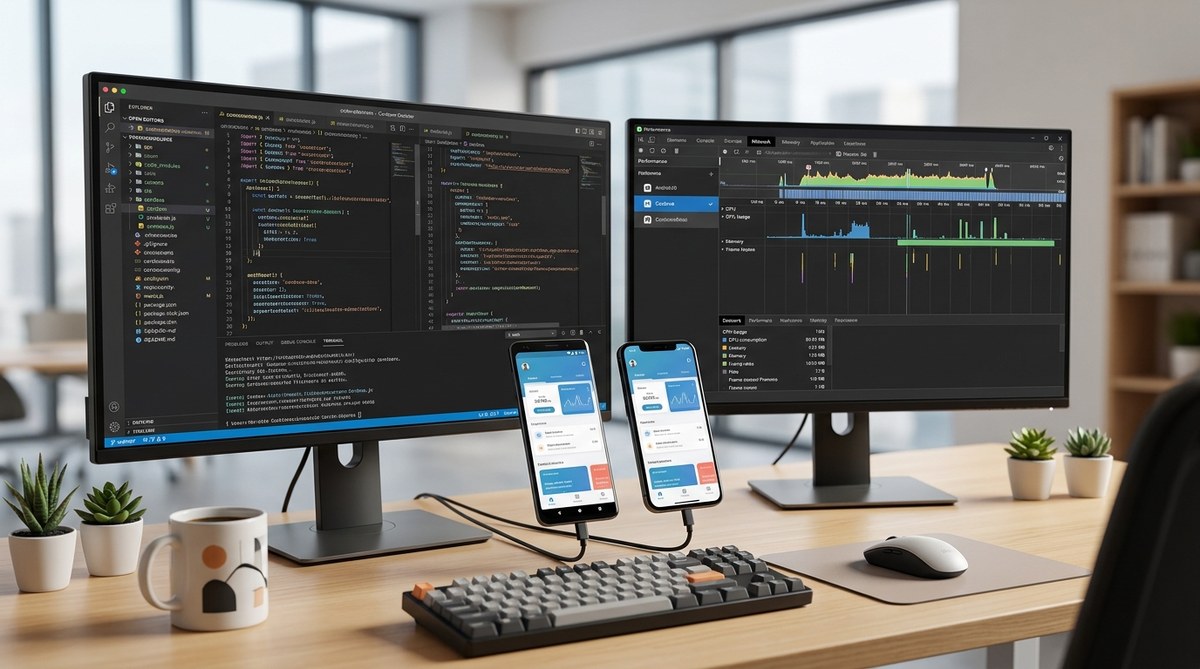
Use tools like Chrome DevTools remote debugging for Android and Safari Web Inspector for iOS to analyze performance. Profile your app to identify slow scripts, rendering issues, or memory leaks. Continuous testing across different devices reveals platform-specific bottlenecks and helps you address them proactively.
Practical steps to implement performance improvements
Here’s a straightforward process to enhance your Cordova app’s performance:
- Audit your app: Run profiling tools on various devices to identify slow components. Focus on load times, UI responsiveness, and memory usage.
- Optimize assets: Compress images, bundle and minify scripts, and serve optimized files. Use a build process to automate this.
- Manage plugins: Remove unused plugins, update current ones, and lazy-load when possible.
- Implement caching: Set up service workers or local storage to cache static assets and API responses.
- Enable hardware acceleration: Use CSS techniques to offload animations to the GPU.
- Test on real devices: Emulate as close to production as possible. Use performance profiling tools to gather real-world data.
- Iterate and refine: Use profiling results to make targeted improvements, then retest.
Common pitfalls and mistakes to avoid
| Mistake | Explanation | Solution |
|---|---|---|
| Overloading resources | Loading too many large files at once | Bundle and minify assets, lazy-load images |
| Ignoring plugin impact | Using too many plugins or outdated ones | Audit, update, and remove unnecessary plugins |
| Not caching assets | Re-downloading static files repeatedly | Implement caching strategies with service workers |
| Animating inefficiently | Causing layout thrashing | Use CSS transforms and requestAnimationFrame |
| Neglecting testing | Deploying without profiling | Regularly profile on different devices |
“The key to a high-performance Cordova app is understanding your device’s limitations and tailoring optimizations accordingly.” — Mobile performance expert
Keep your Cordova apps running fast across platforms
Optimizing cross-platform performance in Cordova applications involves a combination of asset management, plugin control, efficient rendering, and ongoing testing. By focusing on reducing resource loads, managing plugins carefully, and caching effectively, you can deliver faster, more responsive experiences. Remember, continuous profiling helps catch issues early and adapt to different device constraints.
Applying these strategies isn’t just about technical excellence. It directly impacts user satisfaction, app store ratings, and your app’s growth. Keep refining your approach, stay updated on best practices, and your Cordova apps will perform impressively on every device.
Final thoughts on performance tuning for Cordova
Performance optimization is a journey, not a one-time fix. Start with thorough profiling, then systematically implement improvements. Use modern web techniques and tools to streamline your app. With patience and persistence, you’ll create Cordova applications that feel native, respond swiftly, and delight users across all platforms. Your efforts will pay off with better engagement and happier users.