Every mobile app developer knows the feeling. You ship a stable build. Your custom Cordova plugin works perfectly. Then a major OS update lands. Suddenly, native API calls fail. Users see errors. Your app gets one-star reviews. This cycle is exhausting, but it does not have to be your reality. With the right architecture and a few smart habits, you can build a Cordova plugin that survives major OS updates without breaking a sweat.
Major OS updates often deprecate or remove native APIs that Cordova plugins rely on. To keep your plugin working, you need to decouple your JavaScript code from native bindings, use conditional feature detection instead of hardcoded version checks, and test against beta OS releases before they go public. This guide gives you a repeatable process to do exactly that.
Why OS Updates Break Your Cordova Plugin
Operating system updates are not just about new features. They also remove old code. Apple and Google regularly deprecate APIs that have security issues or that they consider outdated. When iOS 2026 ships, some APIs that worked in iOS 2025 will be gone. Android does the same thing. Your plugin breaks because it calls a native method that no longer exists, or because the method signature changed.
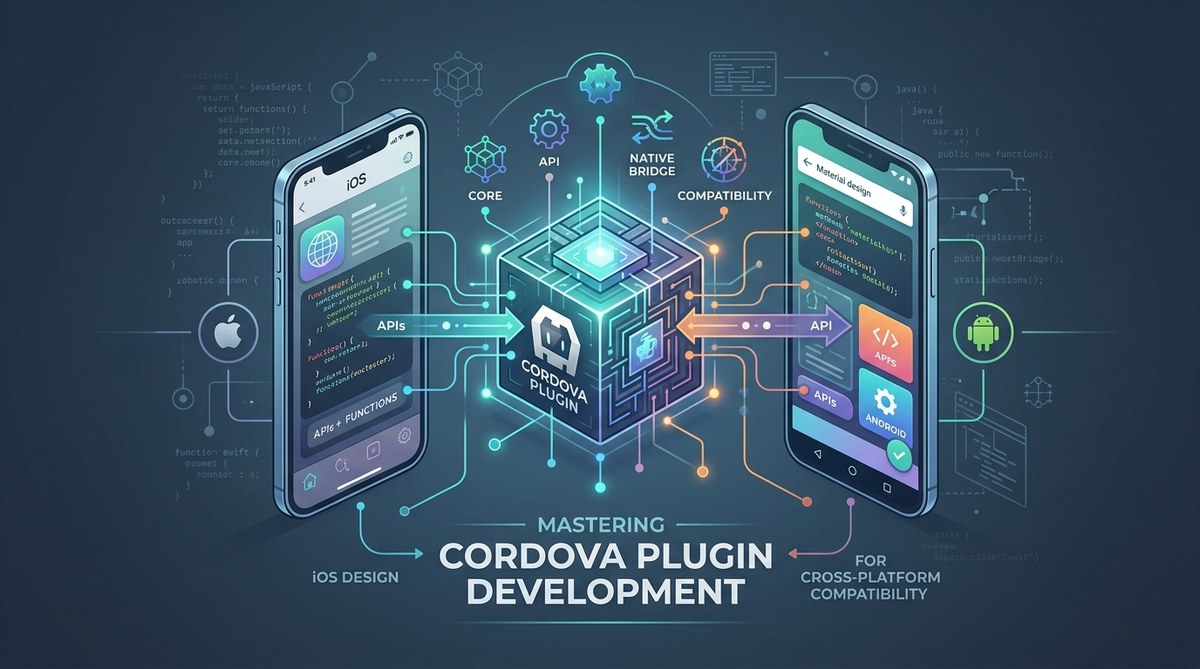
The problem is often hidden in your plugin’s native code. Cordova plugins have two layers. The JavaScript layer communicates with the native layer through a bridge. The native layer talks directly to the OS. If your native code uses deprecated APIs, the bridge fails. The JavaScript layer never gets a response. Your app freezes or crashes.
Structure Your Plugin for Survival
A plugin that survives OS updates is built with isolation in mind. You want to minimize the native code surface area. Keep your plugin logic in JavaScript as much as possible. Only push the bare minimum of work to the native side.
Here is a practical list of steps to follow when designing your plugin:
- Write a thin native wrapper. Your native code should only handle one thing: calling the OS API and returning a result. Do not put business logic there.
- Use JavaScript for fallbacks. If a native call fails, your JavaScript should catch the error and try an alternative approach or return a sensible default.
- Abstract the OS version detection. Do not hardcode version numbers. Instead, check if a specific API method exists before calling it.
- Keep your plugin.xml clean. Only declare the native source files you actually need. Remove dead code from previous versions.
- Document every native dependency. Write down which OS APIs your plugin uses. When a new OS beta drops, you can scan that list and check for deprecations.
Version Your Plugin the Right Way
Semantic versioning is your friend here. But you need to be more specific about what a “breaking change” means. For Cordova plugins, a breaking change is any update that requires a different native API call. Even if your JavaScript interface stays the same, if the native layer changes, bump the major version.
Use a table to track your plugin’s compatibility. This makes it easy for other developers (and future you) to know what works.
| OS Version | Plugin Version | Native API Used | Status |
|---|---|---|---|
| iOS 2025 | 1.0.0 | LegacySensor | Working |
| iOS 2026 | 1.1.0 | NewSensor | Working |
| iOS 2027 | 2.0.0 | SensorV2 | In beta testing |
| Android 15 | 1.0.0 | SensorLegacy | Deprecated |
| Android 16 | 1.2.0 | SensorModern | Working |
Keep this table in your plugin’s README. Update it every time you test against a new OS version.
Test Against Beta OS Releases
You cannot wait until the public release. By then, users are already updating. You have to test during the beta period. Both Apple and Google offer beta programs for developers. Sign up for them.
Here is a bulleted list of what to do during a beta cycle:
- Install the beta OS on a dedicated test device or emulator.
- Run your plugin’s full test suite against the beta.
- Check for deprecation warnings in the build logs. These are often printed during compilation.
- If a native API fails, look at the OS release notes to find the replacement.
- Update your native code and test again before the public release.
This process gives you a lead time of several weeks. That is enough to ship a patched version of your plugin before most users even see the update notification.
Use Feature Detection Instead of Version Numbers
Hardcoding “if iOS version is greater than 2025” is fragile. The next update might change the version numbering scheme. Instead, use feature detection. Try to call the API and catch any errors. If the call fails, use an alternative.
Your JavaScript code should look something like this:
function readSensorData() {
  try {
    return nativePlugin.readSensor();
  } catch (error) {
    // Fallback to a different method or return a default value
    return null;
  }
}
This pattern works for Android too. Android APIs often throw exceptions when a method is not available. Catch those exceptions gracefully. Do not let them crash your app.
Common Mistakes That Kill Plugins
Developers make the same errors over and over. Avoid these:
- Storing OS version numbers in a config file and never updating them.
- Ignoring compiler warnings during the build process.
- Using deprecated native APIs because “they still work on my device.”
- Forgetting to update the plugin.xml when adding new native source files.
- Not testing on actual hardware. Emulators do not always reflect real device behavior.
If you want a deeper understanding of how to build robust plugins from scratch, check out our guide on mastering cordova plugin development for cross-platform compatibility. It covers the full lifecycle of a plugin.
Automate Your Compatibility Checks
Manual testing is not enough. You need automation. Set up a CI pipeline that builds your plugin against multiple OS targets. For example, use GitHub Actions to run your tests on the latest iOS and Android SDKs. When a new SDK version is released, your CI will fail. That failure is your early warning.
Read more about setting this up in our article on how to automate cordova builds with github actions. It walks you through the exact YAML configuration you need.
Handling the Unexpected
Sometimes an OS update removes an API with no direct replacement. This happens rarely, but it does happen. When it does, you have two options. First, you can rewrite your native code to use a completely different API. Second, you can add a JavaScript-based fallback that approximates the functionality.
For example, if the OS removes a sensor calibration API, you might simulate the calibration in JavaScript using a lookup table. It is not as accurate, but it keeps your app running. You can then ship a proper fix later.
For more on handling these edge cases, see our guide on 5 cordova plugin workarounds for unsupported native apis on ios 2026. It gives you concrete code examples.
Keep Your Plugin Documentation Alive
Documentation is not a one-time task. Every time you update your plugin for a new OS version, update the docs. Write down which APIs changed and how you handled it. This helps other developers who use your plugin. It also helps you when you revisit the code six months later.
A good practice is to include a CHANGELOG file with entries for each OS update. For example:
## 1.1.0 - 2026-03-15
- Updated native sensor API for iOS 2026 compatibility.
- Added fallback for Android devices without the new sensor API.
- Removed deprecated LegacySensor calls.
What to Do When a Plugin Breaks
Even with all these precautions, a plugin can still break. Maybe the OS update introduces a bug on Apple’s side. Maybe your fallback code has a hidden edge case. When this happens, act fast.
First, isolate the issue. Determine if it is a native API failure or a JavaScript bridge problem. Second, apply a hotfix if possible. A JavaScript fallback can often restore functionality while you work on a proper native fix. Third, communicate with your users. Let them know you are aware of the issue and have a fix in progress.
For a broader look at keeping your whole app healthy, read our article on 5 ways to future-proof your cordova apps against os updates. It covers app-level strategies beyond just plugins.
Build Confidence Through Repetition
The first time you go through this cycle, it feels like a lot of work. The second time is easier. By the third OS update, you will have a rhythm. You will know exactly which files to check, which tests to run, and which fallbacks to use. That confidence is invaluable.
Your users will notice too. When an OS update drops and your app still works, they will not leave bad reviews. They will not even think about it. That is the goal. Invisible reliability.
So start now. Audit your current plugin. Check for hardcoded version numbers. Add feature detection. Sign up for the next beta program. Do these things today, and your plugin will survive whatever Apple and Google throw at it next year.