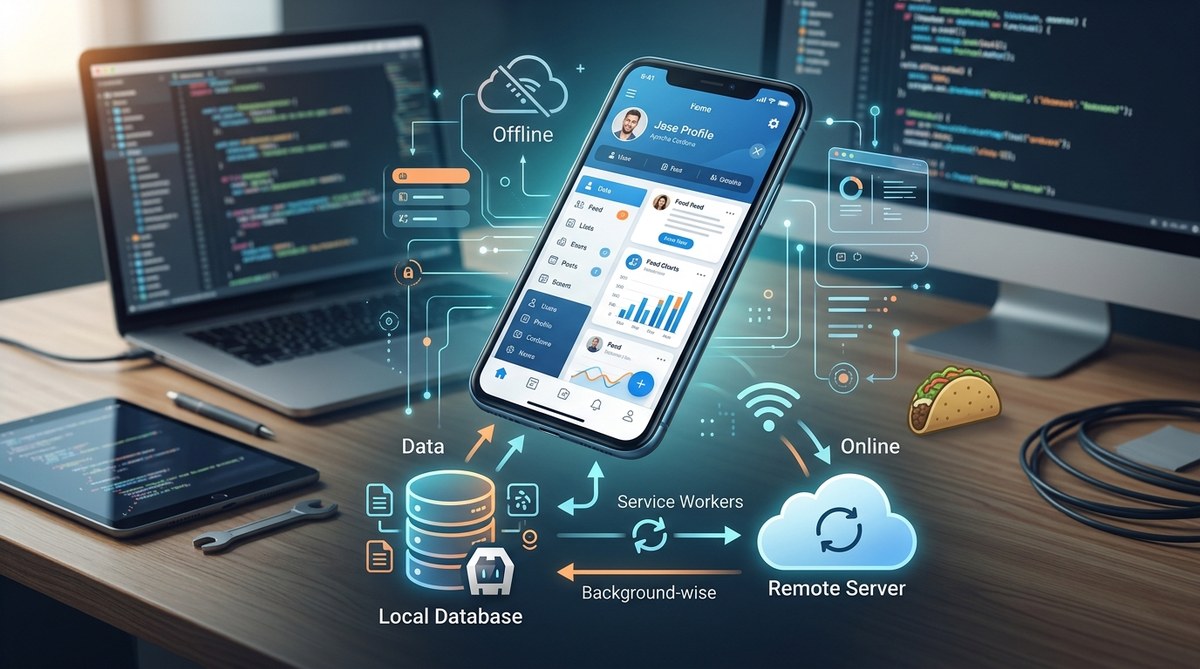
Your users expect your app to work reliably, whether they are on a subway in New York, hiking in a national park, or simply dealing with spotty cell service. An app that crumbles without an internet connection frustrates people and leads to poor reviews. Building an offline-first architecture for your Cordova app solves this problem by treating connectivity as an enhancement, not a requirement.
An offline-first Cordova app stores data locally, syncs when a connection is available, and handles network changes gracefully. You need a local database like SQLite or IndexedDB, a sync engine that manages conflicts, and a connectivity listener plugin. This approach improves user retention and makes your app feel native, regardless of network conditions.
Why Offline First Matters for Your Cordova App
Mobile users live in a world of inconsistent connectivity. They start an email in a coffee shop, walk to their car, and lose signal in the parking garage. Your app should not punish them for that. An offline-first architecture ensures the user interface stays responsive, data remains accessible, and any changes they make get synced later.
Cordova apps have an advantage here. They run inside a WebView, which means you can use standard web storage APIs alongside native plugins. You are not limited to one approach. You can mix and match local storage options to fit your specific use case.
Choosing the Right Local Storage for Your Cordova App
The first decision in your Cordova offline-first architecture is where to keep the data locally. Each storage option has trade offs depending on the type of data you are handling.
| Storage Method | Best For | Limitations |
|---|---|---|
| SQLite via cordova-sqlite-storage | Structured relational data, large datasets, complex queries | Requires plugin installation |
| IndexedDB | JSON documents, offline caching, smaller datasets | Not supported in all older WebViews |
| LocalStorage | Simple key-value pairs, user preferences | 5-10 MB limit, synchronous, no queries |
| File system via cordova-plugin-file | Binary data, images, media files | Slower reads, manual management |
For most production apps, SQLite is the strongest choice. It handles transactions well, works across platforms, and gives you control over schema design. If you need to cache API responses, IndexedDB can work alongside SQLite for different purposes.
Step by Step: Building the Offline First Foundation
Let us walk through the core implementation steps. This process applies whether you are building a new app or retrofitting an existing one.
-
Set up your local database. Install the SQLite plugin and create your schema. Define tables that mirror your remote API structure, but include a sync status column to track pending changes.
-
Implement a data access layer. Create a service that checks the local database first before making any network request. If the data exists locally and is fresh, return it immediately. If not, fetch from the API and cache the result.
-
Build a sync engine. This is the brain of your offline first system. It should push local changes to the server, pull remote changes down, and handle conflicts. Run the sync in the background using a timer or trigger it when connectivity changes.
-
Monitor network state. Use the cordova-plugin-network-information to listen for online and offline events. Update your UI to show a subtle indicator when the user is offline, but never block them from interacting.
-
Queue outgoing requests. When the user performs an action that requires the server, save that action to a local queue instead of making a direct HTTP call. The sync engine processes this queue when connectivity returns.
Handling Connectivity Changes Gracefully
A Cordova offline-first architecture needs to react to network changes instantly. Do not wait for the user to refresh the page. Use the native connectivity plugin and handle the events in your app shell.
document.addEventListener("offline", function() {
  // Show a non intrusive banner
  showOfflineIndicator();
  // Switch to local only mode
  appState.setOnline(false);
}, false);

document.addEventListener("online", function() {
  // Hide the banner
  hideOfflineIndicator();
  // Trigger sync
  syncEngine.run();
  appState.setOnline(true);
}, false);
The key is to keep the UI optimistic. Show the data the user expects to see, even if it is slightly stale. Update it silently in the background when the sync completes. Users appreciate an app that does not throw errors or show spinning loaders every time they lose signal.
Conflict Resolution Strategies That Scale
When multiple devices or users modify the same data offline, conflicts happen. Your sync engine must handle these without losing data. Here are three practical approaches.
-
Last write wins. The simplest method. The most recent timestamp overwrites older data. Works for notes, status updates, and non critical fields.
-
Merge with priority. Define which source wins for specific fields. For example, the server always wins for pricing data, but the client wins for user generated content like comments.
-
Manual resolution. Flag conflicting records and let the user decide. This is necessary for financial transactions or medical records where data integrity is critical.
Expert advice: Start with last write wins for your first version. It is easy to implement and covers 80% of use cases. You can add more sophisticated conflict resolution later without changing your data model.
Common Mistakes in Cordova Offline First Architecture
Even experienced developers stumble on a few patterns. Avoid these pitfalls to save yourself debugging time.
-
Storing the entire API response as a blob. This breaks when your API schema changes. Always parse and store data in structured tables.
-
Ignoring the sync status. Without tracking which records are dirty, you risk sending stale data to the server. Add a simple boolean column like
needsSyncto every table. -
Blocking the UI during sync. Never run sync operations on the main thread. Use Web Workers or async patterns to keep the interface responsive. Learn more about why your Cordova app should use Web Workers for heavy processing.
-
Not testing with real network conditions. The emulator does not simulate spotty 3G or airplane mode. Test on actual devices in areas with poor coverage.
Tools and Plugins to Accelerate Your Implementation
You do not need to build everything from scratch. The Cordova ecosystem has mature plugins that handle the heavy lifting.
- cordova-sqlite-storage for persistent local databases
- cordova-plugin-network-information for connectivity detection
- PouchDB for a CouchDB compatible offline database that syncs automatically
- Workbox for service worker based caching of static assets
If you are working on a team, consider how your optimizing deployment strategies for Cordova apps in 2026 can include offline first testing in your CI pipeline. Automated builds should run your sync tests against simulated network conditions.
Testing Your Offline First Implementation
Your testing strategy must cover three scenarios: fully online, fully offline, and the transition between them. Here is a bullet list of what to verify.
- App launches and shows cached data immediately without a network call
- User can create, edit, and delete records while offline
- Changes sync correctly when connectivity returns
- Conflicts are resolved according to your chosen strategy
- UI indicators for offline status appear and disappear correctly
- App handles rapid toggling of airplane mode without crashing
For a deeper look at quality assurance, check out these 5 essential testing strategies for Cordova apps in 2026. They cover both manual and automated approaches tailored for hybrid apps.
Performance Considerations for Offline Data
An offline first architecture adds complexity, but it should not slow down your app. Keep these performance rules in mind.
Limit the amount of data you cache locally. Only store what the user needs for the core experience. If your app has a feed of 10,000 items, cache the most recent 200. Use pagination in your sync engine to pull data in chunks.
Compress data before storing it in SQLite. Text fields, especially JSON strings, can bloat your database. Use a compression library on the client side to reduce storage size and speed up reads.
Batch your sync operations. Sending one hundred individual HTTP requests is slower than sending a single batch request. Design your API to accept arrays of records for both upload and download.
Putting It All Together
Building a Cordova offline-first architecture is not a one time task. It is a design philosophy that shapes how you write every feature. Start with a solid local database, build a simple sync engine, and treat connectivity as a background detail rather than a gatekeeper.
Your users will thank you when they open your app in an elevator, on a plane, or in a basement conference room and everything just works. That is the kind of experience that turns casual users into loyal advocates.
Take the first step today. Install the SQLite plugin, create your first offline table, and watch your app transform into something that works anywhere, anytime. For more guidance on related topics, explore our guide on mastering Cordova plugin development for cross platform compatibility to extend your app’s capabilities even further.