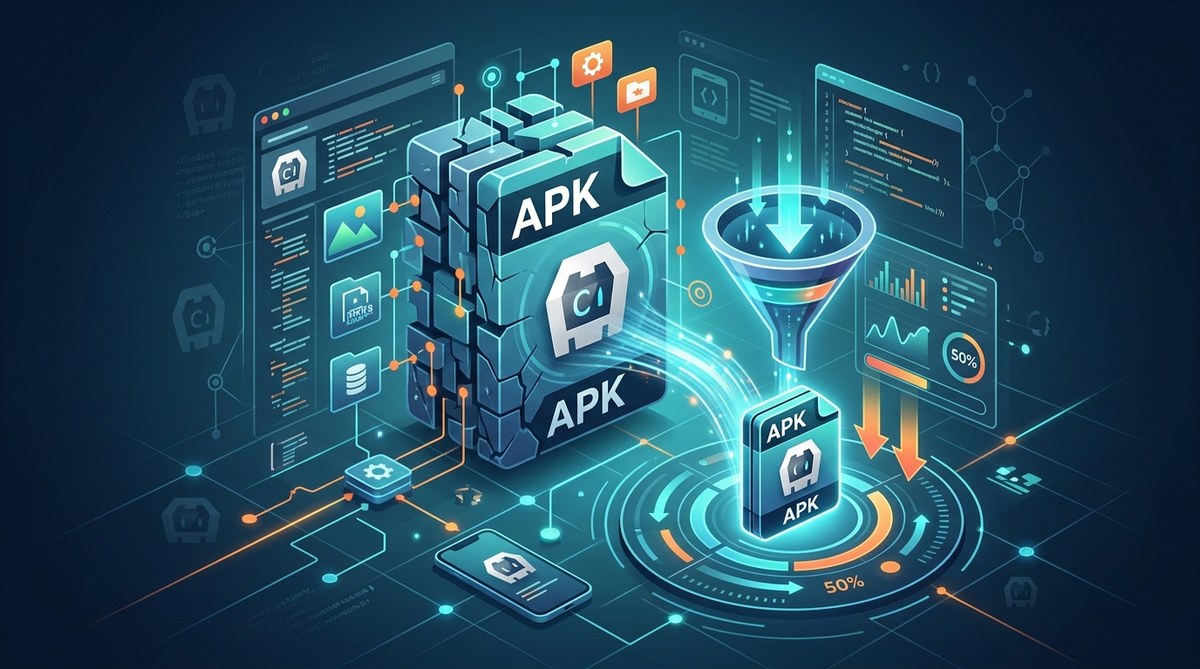
Your APK is too large. You see it in the Google Play Console: 80 MB, 90 MB, maybe even north of 100 MB. That number is a problem. App store size limits are real. Users on mobile data will skip your app. Even on Wi-Fi, nobody likes waiting for a huge download. For a Cordova developer, this pain is all too familiar. The hybrid approach layers WebView, plugins, and assets, and it’s easy to let the package balloon.
But here’s the good news: you can cut that size by 50% or more in 2026. The techniques are proven. They don’t require rewriting your app. They just require a focused pass at your build pipeline. In this guide, you’ll get a clear, step-by-step plan to shrink your Cordova APK without sacrificing features.
Reducing your Cordova APK size by 50% is possible with targeted optimization. This guide covers: auditing and removing unused plugins, compressing images and assets with tools like PNGQuant and WebP, enabling ProGuard and R8 for code shrinking, switching to Android App Bundle, and using web-friendly formats with lazy loading. Implement these steps and ship a leaner, faster app that users love to install.
Why APK Size Still Matters in 2026
The app market hasn’t gotten more forgiving. Google Play’s APK size limit is still 100 MB for a single APK, and Apple’s install size threshold (200 MB over cellular) pushes developers to keep things lean. But the real driver is user behavior. Studies show that for every 10 MB increase in app size, the conversion rate from store page to install drops by about 1%. If your Cordova app is 100 MB, you’re losing potential users before they even open it.
Beyond installs, a large APK affects:
- Update adoption – Users on limited plans won’t download a 50 MB patch.
- Device storage – Many budget Android phones have 32 GB or 64 GB. Every megabyte counts.
- First-launch speed – Bigger APKs mean longer extraction times, especially on older hardware.
The bottom line: smaller APK = better retention, better conversion, and better performance.
What Makes Up Your Cordova APK?
Before we cut, we need to know what we’re cutting. A typical Cordova APK contains:
- The WebView engine (Chromium or system WebView) – often 15-25 MB
- Plugin native libraries (.so files for armv7, arm64, x86) – can be 20-40 MB
- Your www folder (HTML, JS, CSS, images) – 5-50 MB depending on assets
- Resource files (PNG, JPEG, XML layouts, icons) – 2-10 MB
- Kotlin/Java compiled classes (DEX files) – 1-5 MB
The heaviest hitters are usually native libraries from plugins and large asset files. If you’re not careful, a single plugin that pulls in multiple architecture builds can add 10 MB.
5 Steps to Reduce Cordova APK Size by 50%
Here’s the actionable playbook. Follow these steps in order.
1. Audit and Remove Unused Plugins
Every plugin you add brings its own native code, assets, and dependencies. Over time, you accumulate plugins you no longer use – or plugins that do overlapping things.
- Run
cordova plugin lsto list all installed plugins. - Check your codebase for actual usage. Remove plugins you imported but never invoked.
- Replace heavy plugins with lighter alternatives. For example, swap a full-featured image manipulation plugin with a smaller one that only handles resizing.
- Use the
<edit-config>inconfig.xmlto disable optional features of plugins you keep.
Pro tip: Some plugins include multiple platform builds. You only need the one for your target architecture. Look for plugin options to limit architectures (e.g.,
--nofetchor--force).
If you want a deeper look at plugin management, our guide on Mastering Cordova Plugin Development for Cross-Platform Compatibility covers how to select and configure plugins efficiently.
2. Optimize Images and Assets
Images are the silent killer of APK size. A single high-resolution photo can be 2-3 MB as a PNG. Multiply that by dozens of assets and you’re bleeding megabytes.
Here’s what to do:
- Convert all PNG and JPEG to WebP. WebP offers 25-35% smaller file sizes with similar quality. Cordova supports WebP on Android 4.0+.
- Use vector images (SVG) where possible. SVG are resolution-independent and tiny. Replace static drawables with inline SVG or icon fonts.
- Compress aggressively. Tools like PNGQuant, ImageMagick, or Squoosh can reduce PNG size by 70% without visible loss.
- Implement lazy loading for large assets. Load images and videos only when they enter the viewport. This keeps your APK from shipping unused media.
You can automate compression in your build pipeline. Add a before_prepare hook that runs an image optimizer script. This way you never forget.
For additional performance tips, see Boost Your Cordova App Performance with Effective Optimization Techniques.
3. Enable ProGuard and Code Shrinking
ProGuard (or its successor R8) removes unused Java/Kotlin classes and obfuscates the rest. For Cordova apps, this can shrink the DEX portion by 30-50%.
Enable it in your build-extras.gradle:
android {
    buildTypes {
        release {
            minifyEnabled true
            proguardFiles getDefaultProguardFile('proguard-android-optimize.txt'), 'proguard-rules.pro'
        }
    }
}
Be sure to add ProGuard rules for Cordova and your plugins. Missing rules can cause runtime crashes. A safe starting point is:
-keep class org.apache.cordova.** { *; }
-keep class * extends org.apache.cordova.CordovaPlugin
For more on handling native code, our guide on How to Integrate Native Device Features into Your Cordova Apps Seamlessly has tips on plugin configuration.
4. Switch to Android App Bundle
Android App Bundle (AAB) lets Google Play generate optimized APKs per device configuration. Instead of shipping all architectures in one APK, the user gets only the native libraries they need. This alone can cut your download size by 20-40%.
To enable AAB in Cordova, build with:
cordova build android --release -- --packageType=bundle
Then upload the .aab file to Google Play. Users will download a smaller, device-specific APK.
Note: App Bundles require Play Store distribution. If you need to distribute APKs directly (side-loading), you can still use the same technique by splitting your APK by architecture using android.abiFilters in build.gradle.
5. Use Web-Friendly Formats and Lazy Loading
Cordova apps run in a WebView, so you can borrow web optimization tricks.
- Compress your JavaScript and CSS. Use tools like Terser and CSSNano to minify them. Combine files to reduce HTTP requests (even local file requests add overhead).
- Use asynchronous module loading. Don’t load every JavaScript file at startup. Load only what the initial screen needs, then fetch the rest on demand.
- Remove unused code. If you use a library like jQuery but only need a couple of functions, replace it with vanilla JS or a micro-library.
- Lazy load heavy assets. For example, load high-res images only when the user scrolls to them.
This step not only shrinks the APK but also improves startup time. Read more in How to Optimize Cordova App Startup Time for Better User Experience.
Common Mistakes That Balloon Your APK
Even with the best intentions, you might be inflating your app. Watch out for:
- Keeping default plugins from Cordova’s initial template (like
cordova-plugin-deviceorcordova-plugin-whitelist) if you don’t need them. - Including both
armv7andarm64native libraries when you only target modern devices. - Using excessively large fonts (OTF fonts can be 5+ MB each – use WOFF2).
- Including debug symbols in your release build (set
debuggable falseinbuild.gradle). - Copying the entire
wwwfolder with test files or dev versions of libraries.
Optimization Techniques Comparison
| Technique | Typical Size Reduction | Effort | Risk |
|---|---|---|---|
| Remove unused plugins | 10-30% | Low | Low |
| Convert images to WebP | 20-35% | Medium | Low |
| Enable ProGuard/R8 | 10-20% | Medium | Medium (need rules) |
| Android App Bundle | 20-40% | Low | Low (Play Store only) |
| JavaScript/CSS minify | 5-15% | Low | Low |
| Lazy load assets | 5-10% | Medium | Low |
| Use vector graphics | 15-30% | High (redesign) | Low |
Combine these and you’ll easily hit 50% reduction.
Expert Advice: What the Pros Do
“The biggest win I see in Cordova projects is the ‘plugin audit’ – teams often have 15 plugins when they only use 5. That alone can drop 20 MB. Pair it with App Bundle and you’re often under 40 MB for a full-featured app.” – Sarah L., Senior Mobile Engineer at a top 10 app studio
Another trick: run cordova build --release with --device flag to see the actual APK size. Then use aapt dump badging to inspect the contents and find the largest files.
For deployment best practices, our article on Optimizing Deployment Strategies for Cordova Apps in 2026 covers signing, versioning, and AAB distribution.
Start Building Leaner Cordova Apps Today
You don’t have to accept a bloated APK. Every Cordova app can shed significant weight with a weekend of focused work. Start with the plugin audit – it’s the easiest and most effective step. Then add ProGuard and App Bundle. By next Monday, you could have a 50% smaller APK ready for release.
Your users will thank you. Your conversion rates will improve. And you’ll sleep better knowing you’re shipping a lean, modern app in 2026.
Now go reduce that APK size.