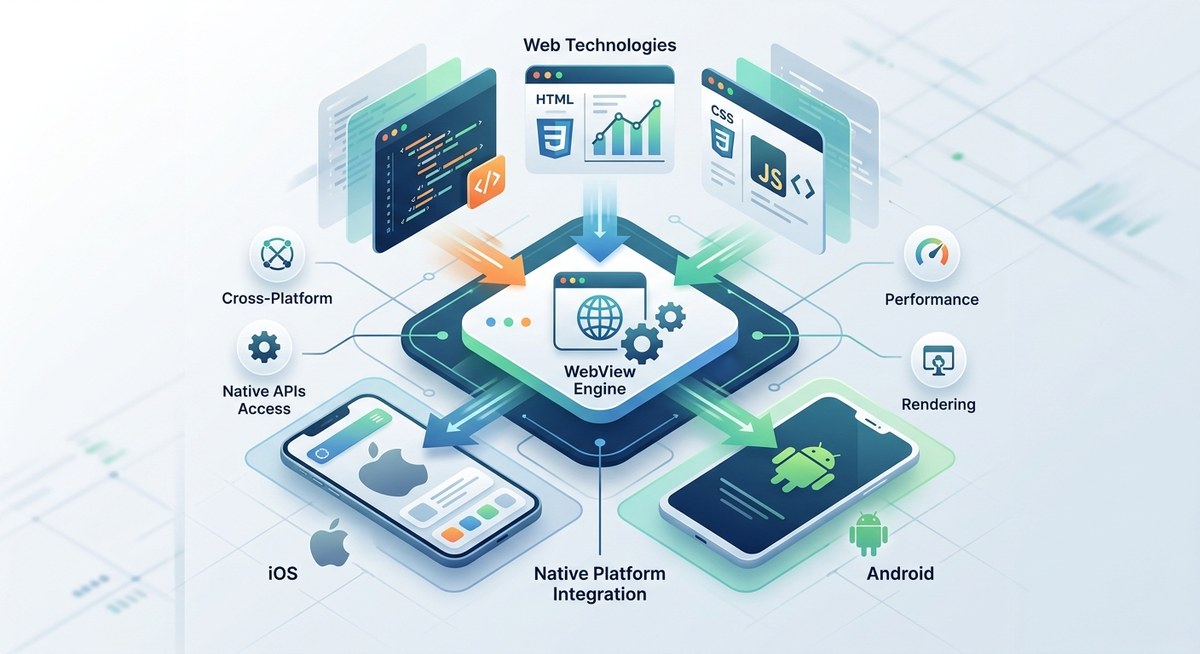
You know the feeling. You make a tiny CSS tweak, run cordova build android, and then wait. And wait. The coffee gets cold. Your momentum evaporates. Meanwhile, the app you’re building for a cross-platform launch next month still has a few bugs hiding in the plugin layer. If that sounds familiar, you’re not alone. The Cordova development workflow can feel like a bottleneck even for seasoned developers. But it doesn’t have to be that way.
Optimized workflows save hours every week. By automating builds, mastering live reload, and structuring your plugin management, you can cut build times by half and catch issues earlier. This guide gives you five actionable steps plus tool recommendations to overhaul your Cordova development process without rewriting your whole setup.
Why Your Cordova Workflow Matters More Than Ever
In 2026, mobile app expectations are higher than ever. Users demand smooth performance across devices that span a wide range of screen sizes, OS versions, and hardware capabilities. For Cordova developers, that means you need to iterate faster and test more thoroughly. A clunky workflow doesn’t just waste time—it introduces risk. Every extra minute spent waiting for a build is a minute you could have spent fixing a bug or polishing an animation. The good news? With a few targeted changes, you can turn your development pipeline into a well oiled machine.
Five Steps to a Smoother Cordova Build Process
Let’s get practical. Here’s a numbered list of changes that will make the biggest impact on your daily flow.
-
Automate everything you can with a task runner. Tools like Gulp or npm scripts can handle repetitive jobs: minifying assets, copying files, even running Cordova commands in sequence. For example, set up a
devtask that watches yourwwwfolder, runscordova prepareon save, and triggers a device deploy. This alone can cut your feedback loop from minutes to seconds. -
Use live reload or browser sync for rapid UI iteration. Instead of rebuilding the app after every style change, use tools like
cordova-plugin-browsersyncor Chokidar to inject updates directly into the running app. Your WebView refreshes the view without a full rebuild. It’s a game changer for polishing layouts and fixing CSS bugs. -
Optimize your plugin management. Plugins are often the largest source of overhead in a Cordova project. Remove unused plugins with
cordova plugin lsandcordova plugin remove. Keep a strict dependency list in a separate file (likeplugins.json) and version control it. When you add a new plugin, test it in isolation before merging. This practice prevents bloated projects and mysterious build failures. -
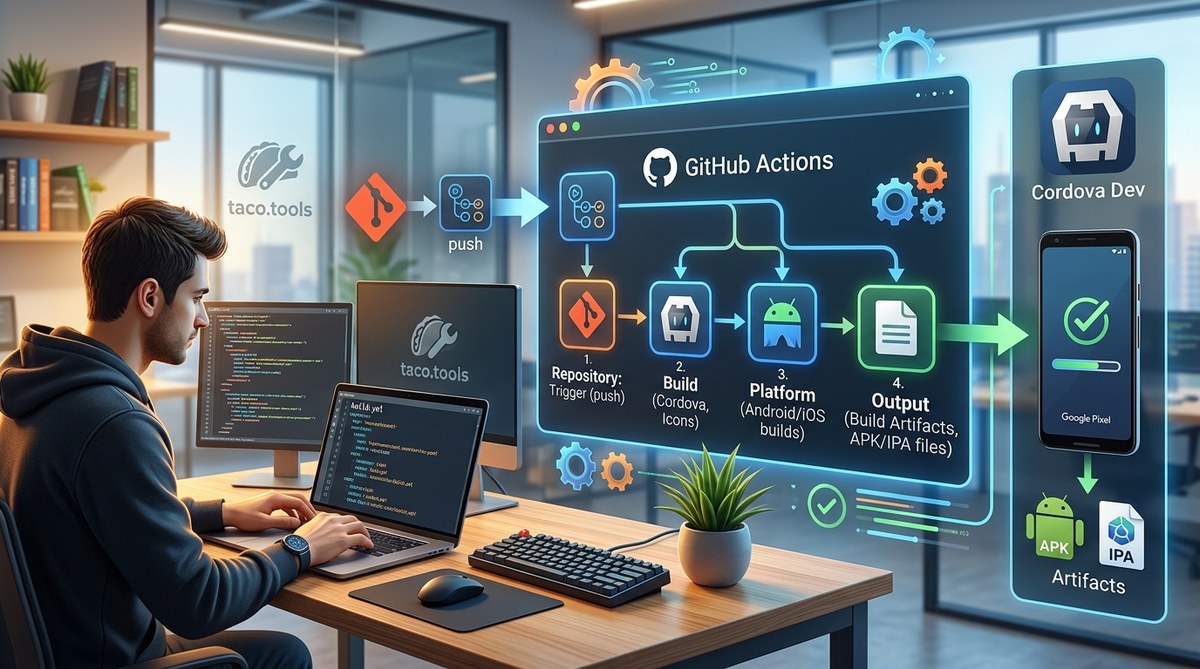
Implement CI/CD for Cordova early in the project. Even if you’re a solo developer, a continuous integration pipeline can catch platform specific errors before they hit your device. Services like GitHub Actions or Jenkins can run
cordova buildon every push, run linting, and even sign your APK or IPA automatically. For more on deployment, see optimizing deployment strategies for Cordova apps in 2026. -
Streamline platform builds by targeting one platform at a time during development. When you’re actively coding, only build for the platform you’re testing on. Use
cordova run android --deviceinstead of building both Android and iOS every time. Reserve full multi-platform builds for integration testing and release candidates. Your laptop will thank you.
Tools and Plugins That Speed Up Your Day
The right tools can transform your workflow. Here’s a bulleted list of my current favorites:
- Cordova Browsersync Plugin – Hot reloads CSS and JavaScript changes directly on your device. No rebuild needed.
- Gulp Cordova – A Gulp wrapper that runs
cordovacommands programmatically. Great for chaining tasks. - Fastlane – Automates the tedious parts of code signing, screenshots, and deployment to app stores.
- Cordova Native Addon – If you need to extend native code, this plugin helps you manage custom native modules.
- VS Code with Cordova Tools – Offers IntelliSense, debugging, and integrated emulator controls.
- Weinre (now continued as similar tools) – Remote debugger for devices without Chrome DevTools. Still handy for legacy Android versions.
For a deeper look at essential tools, check out top tools and plugins to accelerate Cordova app development.
Common Workflow Pitfalls and How to Fix Them
Even experienced developers hit the same wall. The table below maps frequent mistakes to practical solutions.
| Common Pitfall | Why It Happens | How to Fix It |
|---|---|---|
| Long rebuild times after every change | Building full platform for minor CSS/JS tweaks | Use live reload or browser sync during UI work. Only rebuild for native changes. |
| Plugins breaking after OS updates | Outdated plugins or mismatched versions | Pin plugin versions in config.xml. Test updates on a separate branch before merging. |
| Build failing on CI but working locally | Environment differences (Android SDK, Gradle) | Use a Docker container or a cloud CI that matches your target OS. Add platforms/android to .gitignore and run cordova prepare fresh. |
| Debugging is painful on real devices | No way to see console logs or inspect DOM | Use Safari Web Inspector for iOS or Chrome remote debugging for Android. Set up cordova-plugin-console for older devices. |
| Small teams spending hours on release signing | Manual keystore management and provisioning profiles | Adopt Fastlane for automated code signing. It saves hours per release. |
Expert Advice: Don’t Overlook These Details
“The single biggest time saver for my team was decoupling the UI layer from Cordova’s build cycle. We moved all our frontend work into a separate project that builds to
www. Then we only invoke Cordova when we need to test native features. That cut our build iterations by 80%.” — Sarah, lead engineer at a mid size mobile studio.
That advice aligns with the principle of separation of concerns. If you’re using a framework like React or Vue, keep your source outside www and let a bundler (Vite, Webpack) output to www. This approach also makes it easier to adopt advanced debugging techniques. Read more in enhance your Cordova apps with advanced debugging techniques.
Another often overlooked area is performance optimization. Many developers push off optimization until the end, but a slow workflow is often caused by unoptimized builds. Compress images, remove unused dependencies, and minify JavaScript. For a full guide, see boost your Cordova app performance with effective optimization techniques.
Put These Ideas Into Practice
Your next project is the perfect place to start. Pick one change from the list above and implement it this week. Maybe it’s setting up live reload. Maybe it’s cleaning up unused plugins. Even a small improvement compounds over time. Before you know it, your build process will feel effortless, giving you more time to focus on what matters: building an amazing app.
And remember, the Cordova community continues to evolve. Keep an eye on new tooling and plugin updates by regularly checking the enhance your Cordova development with advanced testing tools guide. Happy coding.